Low / Mid / High
A suggested range from comparable listings for the item, so you can price to move or price to wait.

eBay comps
Every LotLifter draft comes with a suggested price from comparable listings, with the comps behind it in the same screen. You see the range, the reasoning and the listings, then you decide. When the evidence is thin, LotLifter says so instead of inventing a number.
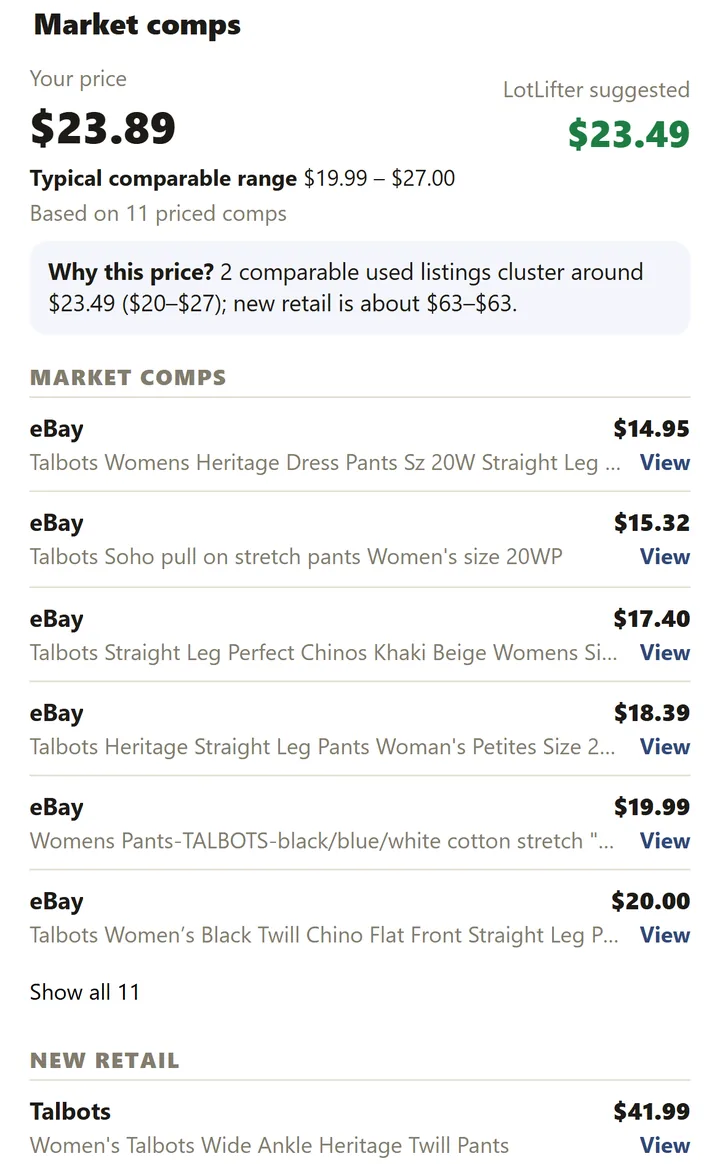
Pricing is part of the draft, not a separate research trip. The suggestion, the range and the evidence arrive together.
A suggested range from comparable listings for the item, so you can price to move or price to wait.
Open View comps to see the comparable listings with their prices, a typical comparable range, how many priced comps it's based on, and a short “why this price”.
When comps are thin or disagree, the item is flagged Needs Review and waits for your decision instead of quietly getting a number.
On the desktop
In LotLifter Full, the Pending queue shows each draft's price and its Low / Mid / High comp range at a glance, and flags anything that needs a price review.
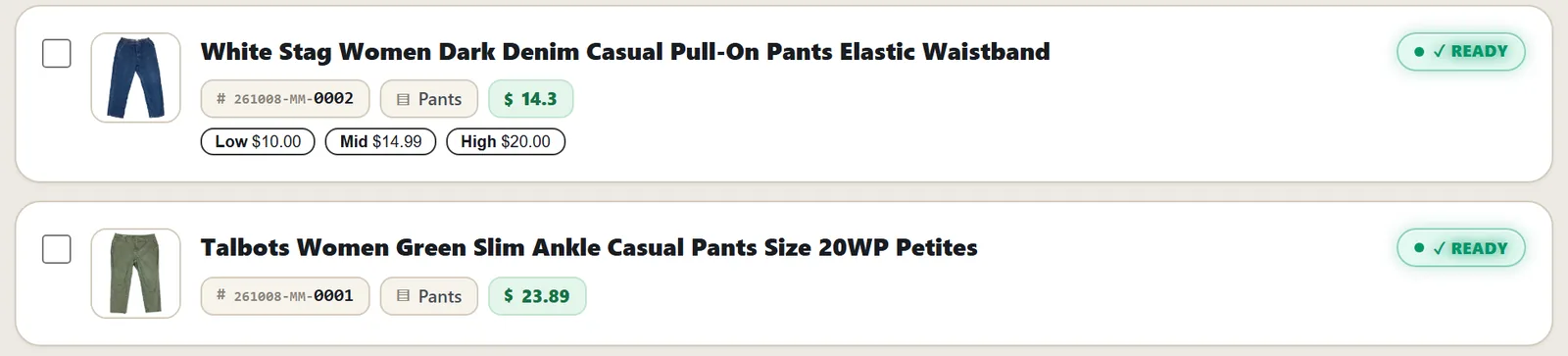
When the AI drafts a listing it identifies the item (brand, type, size, condition) and LotLifter looks for comparable listings of the same kind of item. The comps that genuinely match are used to form the range; the suggestion sits inside it, and your pricing defaults are applied on top.
Looking up comps one item at a time is one of the slowest parts of listing a pile. With LotLifter the research is already done when you open the draft, so pricing becomes a quick check instead of a search.
Comps are evidence, not a promise of what an item will sell for. Prices on comparable listings change, and some items have few comparable listings at all; that's what Needs Review is for.
Comps (comparables) are listings of the same or a very similar item, used as evidence for what to charge. LotLifter gathers them for each draft and shows them next to the suggested price.
Yes. Open View comps on the phone or See the comps on the desktop to see each comparable listing with its price, the typical range and how many priced comps the suggestion is based on.
No. A price you type is never overwritten.
The item is flagged Needs Review instead of getting a confident-looking number, and you decide the price.
Create your account, connect eBay and photograph something; the comps arrive with the draft.