Batch intake
Camera stations and phone camera links feed photos straight into the desktop Pending queue, item after item. Items over your monthly allowance wait with their photos saved and continue with Process Remaining.

High-volume listing
When you're listing hundreds of items, the work isn't one listing; it's the queue. LotLifter turns photos into a queue of AI drafts with prices from comps, lets you review them in a row, and keeps every item findable after it's listed.
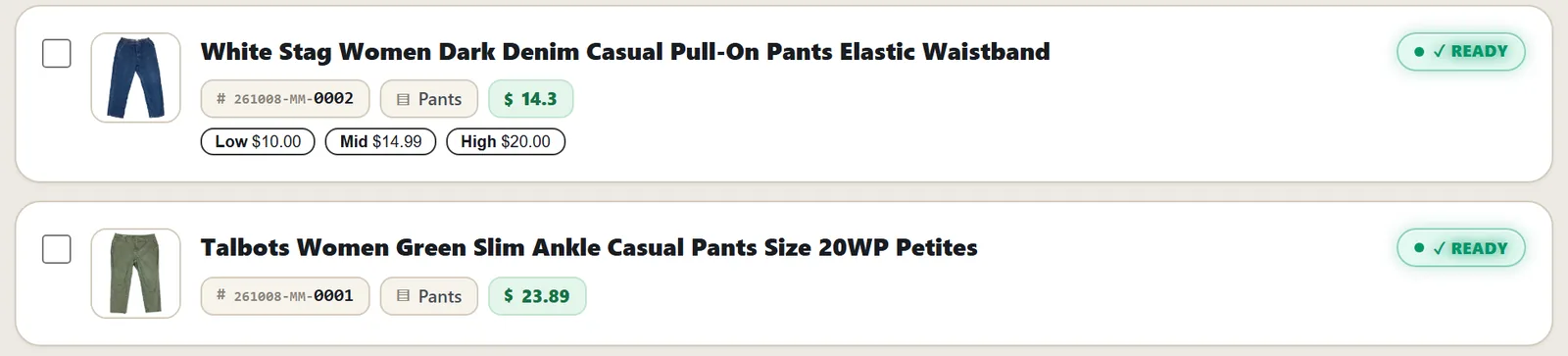
The desktop Pending queue (demo store).
Camera stations and phone camera links feed photos straight into the desktop Pending queue, item after item. Items over your monthly allowance wait with their photos saved and continue with Process Remaining.
A Review Queue on the phone and Pending / Drafts tabs on the desktop. Required eBay fields are checked before anything can publish, and doubtful prices are flagged.
Select many live listings on the desktop and edit prices or other fields together, then update eBay. Group ready items into variation listings or bundles.
Every item gets a storage location; Pick names it when the sale comes in from eBay. Inventory
Compare rates for many orders at once and buy labels on your own ShipEngine account; tracking goes to eBay.
New eBay listings, including ones made in other tools, can come into LotLifter automatically, ready to put away.
Every plan has every feature; plans differ only by how many AI listings you get per month (Starter, Plus, Pro). The largest plan works out to 5¢ per included AI listing. Imported listings, storage, the scanner and shipping tools don't count against it. See pricing
Shoot on the phone with LotLifter Go while someone else reviews on the desktop: it's one account and one inventory. LotLifter Go
LotLifter publishes to eBay only, and there are no shared accounts with user roles yet; shared scanners can sign in named workers.
There's no cap on how many items you keep or have listed. Plans limit only the number of new AI listings per month.
On the desktop, the remaining items wait with their photos saved and continue with Process Remaining when you have room again.
Not today. LotLifter's batch workflow starts from photos, and existing eBay listings come in through the free import.
Create your account, import your store free and run your first batch.